
Applying compound to your CPU.
As seen on other pages on Twisted Hardware, many people are having troubles applying the right amount of cooling compound to a CPU. Some people even decide to run a CPU without cooling compound. On this page I'll discuss 3 generally used methods of applying the compound. I'll not discuss the different types of compound. If you want a comparison, go here.
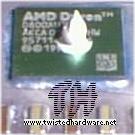
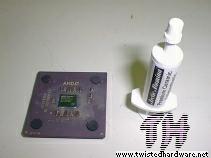 This is the CPU (Duron 800) and cooling compound (Arctic Alumina) I used. |
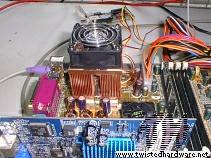 This is the testbed. Not much in there, an Abit KR7, 256MB DDR and a GF2MX400. |
Method 1:
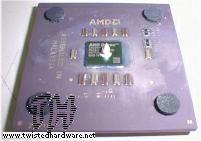
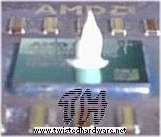
Fairly simple, just put a drop of compound in the middle of the core, as big
as a pinhead. No more, no less.
 |
 |
 |
I'm always asked
why I'm not covering the whole core with compound. Well, because that's method
2.
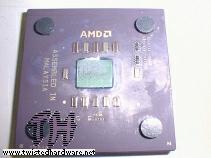
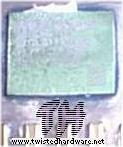
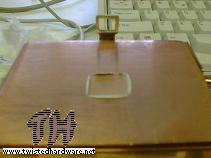
But to proof that the whole core is covered when putting on the cooler and running
the system, I ran the system for 5 minutes, monitored the temperature of the
CPU and then removed the cooler to make some more pictures:
 |
 |
 |
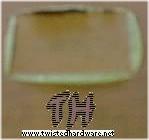 |
As you can see, the whole core is covered. Also notice that the surplus of compound is squeezed out. A thin film of compound sits between the core and the cooler.
The temperature never exceeded 32C.
Method 2:
Almost
as simple as method 1. Again, put a drop of compound on the core, but this time
we help nature a bit. Take a finger (doesn't matter which one, but my index-finger
works for me) and spread it over the core. Be careful though, it's bad stuff
for your skin, so you may want to cover your finger with some kind of plastic
glove.
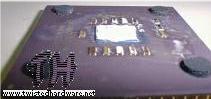 |
 |
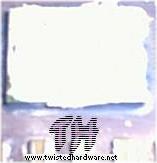 |
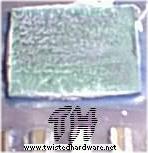
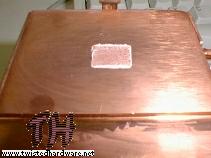
We stick this in the mainboard, put on the cooler and run it for 5 minutes. Here is the result of this method:
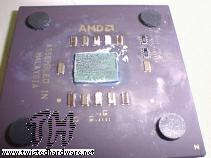 |
 |
 |
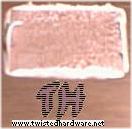 |
Nearly identical to the result of method 1. And the temperature didn't exceed 32C in this test too.
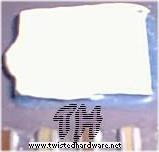
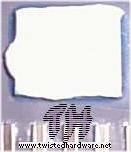
Method 3:
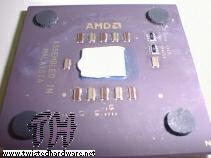
For this
method you need an extra item, namely a credit card or something similar. Put
a drop of compound on the core, and use the credit card to spread it out, in
one movement from one side of the core to the other side. Now you have a thin
and absolutely smooth film of compound.
 |
 |
 |
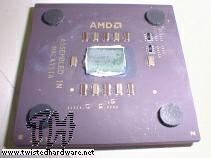
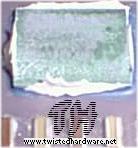
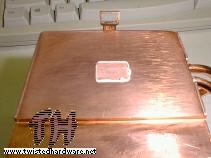
We do another run of 5 minutes, and this is the result:
 |
 |
 |
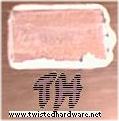 |
Is it just me, or does this also look very much the same? And wow, surprise, the temperature never exceeded 32C.
Conclusion:
We all
like our computers to work, and want to do as little as possible ourselves.
So method 1 is clearly superior. Just put a drop on the core, put on the cooler,
and run it.
Method 2 and 3 take a bit more work, and 2 is bad for your finger. The results
of all methods are equal, the temperature is the same and the spreading of the
compound also is the same.
Note on factory
applied compound on coolers:
As long
as you don't plan to overclock, put your cooler on 5/7V or put your computer
on top of a radiator, the factory applied compound will work for you, and there's
no need to replace it. Maybe your CPU temperature will be a bit higher but it
should be able to handle a few degrees.
Also don't forget, that if you remove the cooler for some reason, you have to remove and replace the compound!