|
Hoover button |
| |
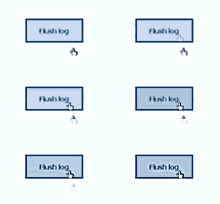 |
|
| As simple as handy. In fact
it is no button at all. In fact it are to
picture controls stacked on eachother. In LabVIEW picture controls are
the only controls that give mouse-information (because otherwise you
can't draw in them) |
| |
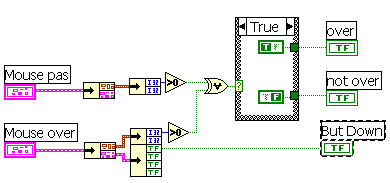
So, the mouse property node is used
as a mouseover hiding and displaying the not-mouseover and mouseover
picture |
 |
The picture control may contain any image you like, sizes be different
and all.
In this example the images (bmp), are stored in the same directory
as the buttonlibrary is in.
|
| |
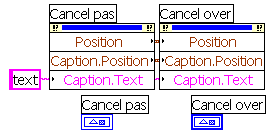
In the first part care is taken that in
case bmp's are of the same size, they are position exactly on top of
each other and that the displayed text in both of them are the same and
at the same place.
|
 |
| |
|
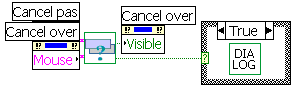 |
| The buttonclicked action
leads directly to a case.. structure, so action is taken. |
|
|
| The
Menu |
| |
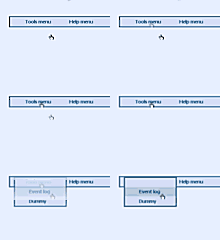 |
| Personally I do not
appriciate the fact all window menu's are confined to the upper area of
my programs. LabVIEW is no exeption to the windows rule.
This snippet gives you the possibility to put your custom
menu wherever you want on the frontpanel.
The menu again works with picture controls. |
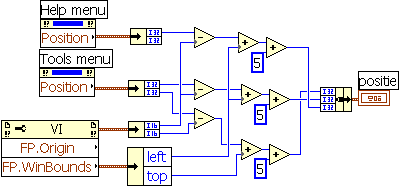
| First of all the exact
position of the picture controls are calculated, comparetively to the
origin of the front panel. This is necesary because we want to now where
it is we want to popup our menu. |
 |
After that we detect a mouseover and or mousedown at our
menu-item (a picturecontrol), we call another frontpanel.
|
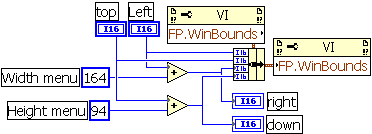
| We let it popip just at the
earlier on calculated spot and in desired size.
|
 |
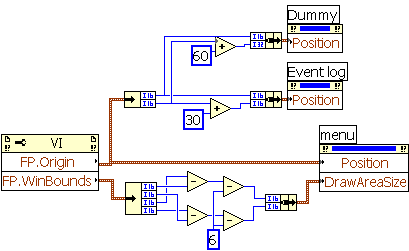
We use a borderless frontpanel. Borders are drawn by sizing a
transparent picture control.
Then you use , again a picture control to create menuitems.
|
| Borderposition, size and
menuitem location are all know and the menu is set, positioning
the menuitems exactly where we want them. |
 |
Now we use mouseover to switch menu-itemcolors and detect a mouse down.
|
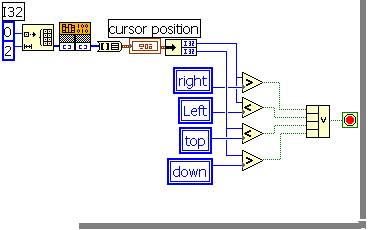
| Finally a check in the
mainloop checks if the cursor is still over the frontpanel, otherwise
the menu is closed. |
 |


